Systems Admin, Mac Geek, Network Nerd, Developer
939 stories
·
16 followers

Brady M511 Review: We Finally Labeled Our Lab

1 Comment

StorageReview has been testing enterprise storage and infrastructure hardware for over 25 years. During that time, we have reviewed petabytes of data across drives, dozens of all-flash arrays, countless switches, servers, and networking gear. We have benchmarked hardware that costs more than most people’s houses. What we have never done, not once, is properly label any of it.

This is not something we are especially proud of. For years, the StorageReview lab has operated on a system best described as “whoever plugged it in probably remembers where it goes.” Cables have been traced by feel. Ports have been identified largely by educated guessing. New team members have received the time-honored orientation of “just follow the cable and see where it ends up.” It has mostly worked, like a lot of things do until they suddenly don’t.

Recently, we started a major lab refresh. New Dell switches to support 800GbE connectivity, more powerful GPU systems, faster storage, retirement of old gear, the kind of upgrade that makes you look at your existing cable management situation and feel a special sort of organizational shame. At some point during the planning process, someone said sensible words that changed our plan: “We should probably label some of this.” And so here we are.
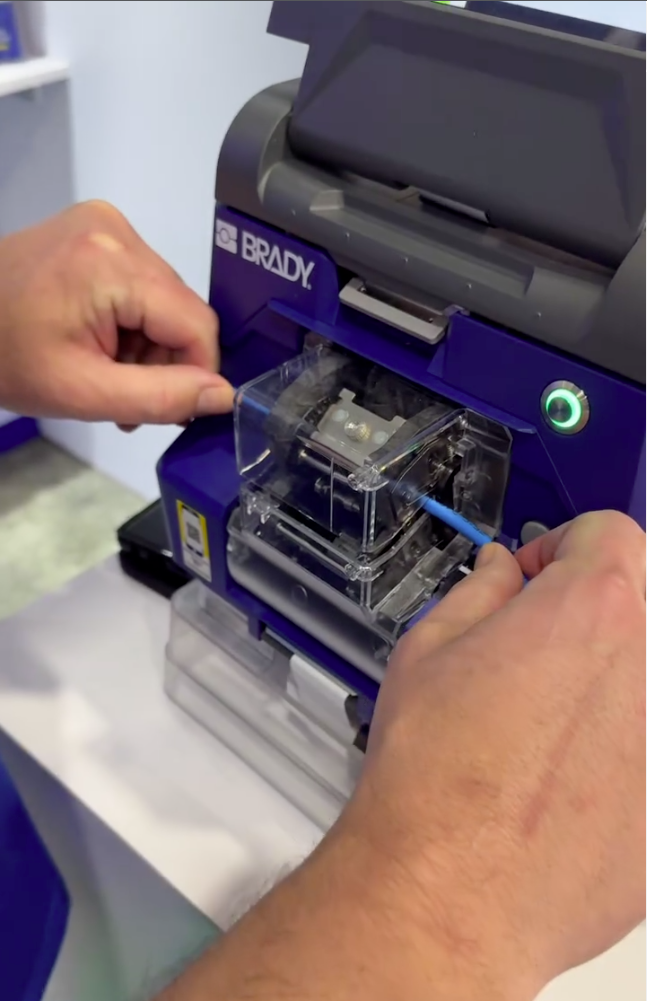
Brady label maker from DCWBrady has been on our radar since Data Center World last year, when we covered the company’s large-format label-printing systems designed for high-volume data center operations. When Brady reached out about the M511, a more compact and portable Bluetooth label printer aimed at smaller facilities, remote sites, and teams that need to move around a space rather than print from a fixed station, it felt like the data center universe was sending a message specifically to our unlabeled lab.

Launched in September 2023, the M511 emerged directly from customer feedback following Brady’s 2022 introduction of the M211, with users asking for wider labels, edge-to-edge printing, and the ability to share the printer across a team. For a lab environment like ours, where multiple people work across the same racks and infrastructure, that multi-user angle is exactly what makes the M511 relevant rather than just a bigger version of its smaller sibling.

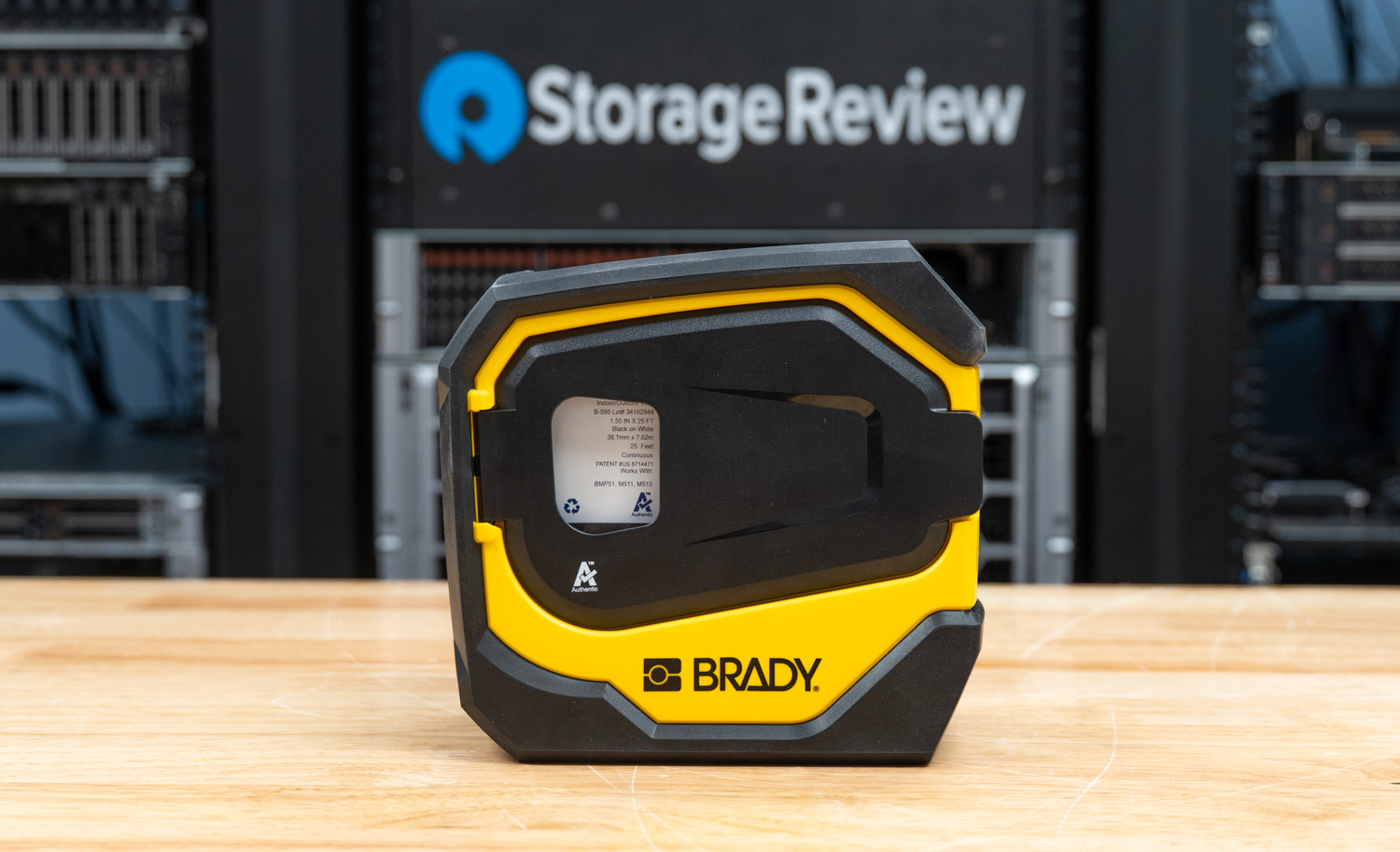
The M511 prints up to 1.5″ wide labels from edge to edge at 300 dpi, connects via Bluetooth 5.0 with a 65-foot range to up to five devices simultaneously, and runs on an internal Li-Ion battery rated for 8+ hours or roughly 1,000 labels per charge. It carries MIL-STD-810G durability ratings, surviving 6-foot drops (which we inadvertently tested), 250-pound crushes, and blowing sand and dust, which is more punishment than our lab will ever dish out, but we appreciate the commitment. Print speed is 1.3 inches per second, and an auto label cutter holds each finished label in place until you’re ready to pull it.
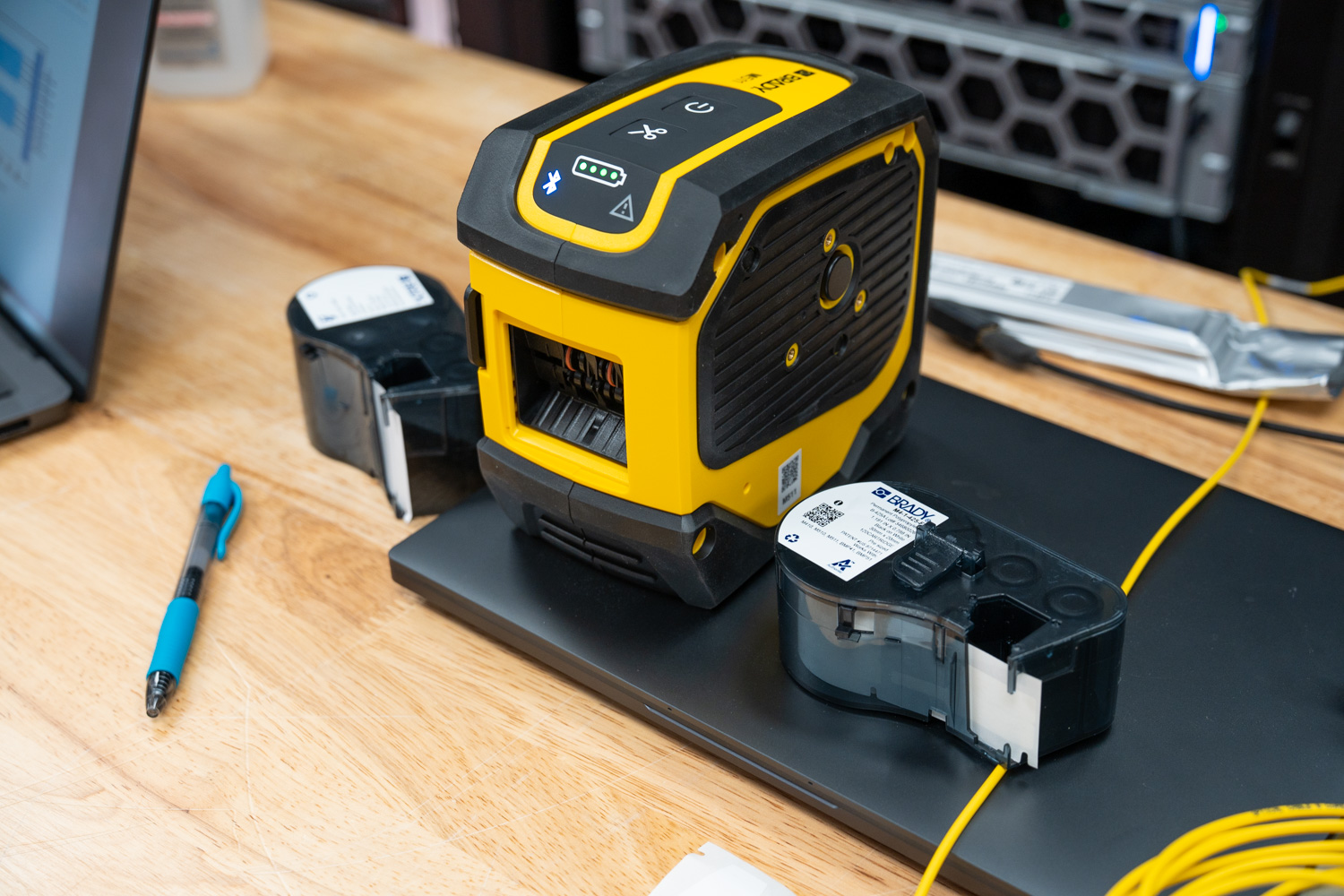
Brady M511 mobile label maker

Brady sent us the M511-KIT configuration, which bundles the printer with a hard case, an indoor/outdoor vinyl label cartridge, self-laminating cable wraps, a nylon cloth label cartridge, an AC adapter, a mounting magnet, a utility hook, a power brick, and Brady Workstation Design and Print Pro software with the Product and Wire ID suite. Essentially, everything needed to walk into a facility and start labeling from scratch, which, as it turns out, describes our situation exactly.
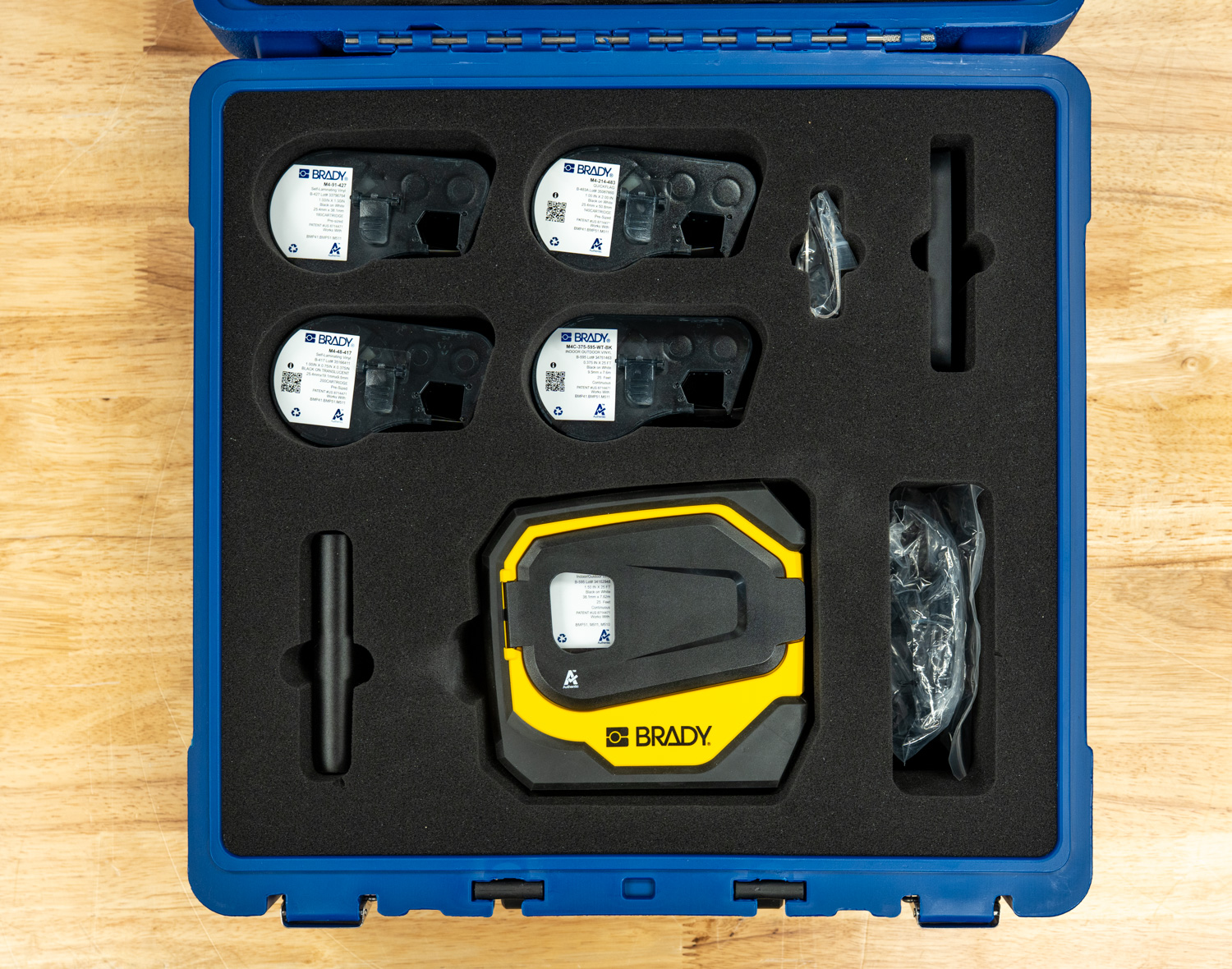
Along with the kit’s included starter materials, we asked Brady to send a selection of label types specific to our needs. They provided four additional cartridges: M4C-375-595-WT-BK, an all-weather permanent adhesive vinyl continuous tape in 3/8″ width for general asset and rack identification; M4-1425-FP, a P-Flag polypropylene flag label designed for cable identification with strong solvent resistance; M4-214-483, Brady’s QuickFlag tapered polyester flag labels that wrap cables neatly without mismatched edges; and M4-48-417, a high-adhesion self-laminating vinyl wrap-around label built specifically for wire ID in challenging environments like high humidity and with newer wire jacketing materials such as Teflon and silicone. We detail each of these in our testing experiences.

Label design can be handled via the Express Labels mobile app over Bluetooth on a phone or tablet, or via Brady Workstation on a PC. Recent updates to the app added BradyVoice, a voice-dictation labeling assistant, and an Image-to-Text feature that uses the phone’s camera to convert printed text or handwritten notes directly into label content. The latter is particularly useful for anyone needing to replicate existing labels in a hurry without manually retyping everything.

The standalone M511 printer is priced at $399.99 direct from Brady. At the same time, our M511-KIT review unit comes in at $551.99 and includes the hard case, three label cartridges, mounting accessories, power brick, and Brady Workstation Product and Wire ID software.

Specifications

Specification Brady M511 Portable Bluetooth Label Printer Kit
Key Characteristics
Trade Name M511
UPC 888434620557
Color Black, Yellow
Dimensions
Height 3.6 in
Width 6 in
Depth 6.4 in
Weight 2.646 lb
Power & Battery
Battery Type Internal, not removable, Rechargeable Lithium-ion
Battery mAh Rating 2450 mAh
Shipped With Battery Yes – shipped with battery installed
Recharge Time 2.5 hours
Power Supply Voltage 110 – 240 V
Port Type USB-C
Auto Shut-Off / Power Conserve Yes, User Configurable
Connectivity & Interface
Connectivity Bluetooth® 5 Low Energy (Class II)
Device Connectivity Mobile device connected, PC connected
User Interface Mobile device, PC
Memory Via connected mobile device
Device Indicators Bluetooth indicating lights: pulsing blue = broadcasting signal; solid blue = device connected or paired; LEDs indicating battery life
Durability
Drop Test & Durability Resistant to 6-foot drops, Resistant to 250-lb crushes, Resistant to military-grade shocks (MIL-STD-810G), Sand & Dust
Printing Specifications
Print Technology Thermal Transfer
Print Resolution 300 dpi
Maximum Print Speed 1.33 in/s
Color Printing Capability Single Color
Maximum Label/Tape Width 1.5 in
Maximum Print Width 1.44 in
Minimum Label Length 0.240 in
Maximum Printed Label Length 39 in
Maximum Labels per Charge 1000
Cutter Type Auto Cutter
Calibration Automated through Smart Cell
Label Retention Feature Yes
Font Sizes 4 – 150 pt
Barcode Symbologies — 2D Data Matrix, PDF417, QR Code, More through Brady Workstation, More through software
Barcode Symbologies — Linear Code 128, Code 128A, Code 128B, Code 128C, Code 39, Code 39 Full ASCII, Code 93, Code 93 Full ASCII, EAN-13, EAN-13 Extension 2, EAN-13 Extension 5, EAN-8, EAN-8 Extension 2, EAN-8 Extension 5, GS1-128, HIBC, Interleaved 2 of 5, JAN-13, JAN-8, UPC-A, UPC-E
Built-In Label Wizards Breaker Box, Flags, General, Patch Panel, Pipe Marker, Safety, Sleeves, Slide, Terminal Block, Tube, Vial, Wire Wrap
Compatibility
Compatible Media M4-, M4C-, M5-, M5C-
Label Material Types BradyGrip® Polyester, FreezerBondz™ Polyester, Heat-shrink Polyolefin, Metalized Polyester, Nylon Cloth, Polyester, Polypropylene, Reflective Tape, Self-laminating Polyester, Self-laminating Vinyl, StainerBondz™ Polyester, Tamper-resistant Vinyl, Vinyl, Vinyl Cloth, Water Dissolvable Paper
Materials Supported Continuous, Die-cut
Phones & Tablets Supported Android devices with Android OS 6+, iPhone 5S or newer with iOS 10+
Software Compatibility Brady Workstation, Express Labels Mobile App, Windows-based driver for 3rd-party software use
Applications
Application Asset Tracking, Circuit Board Labeling, Component and Equipment Labeling, Data and Telecommunications Labeling, Electrical Labeling, Facility Identification, General Identification, Inventory and Inspection Labeling, Laboratory Labeling, Lean and 5S Labeling, Safety Identification, Warehouse Marking, Wire and Cable Labeling

Hands On, Labels Out

With the M511 kit unpacked and the Brady Express app installed, we put it straight to work on our first real task: a new batch of cables for our 800G networking deployment. In high-density environments, keeping breakouts organized by speed and strand numbering is not optional. It is the difference between a clean install and a troubleshooting nightmare down the road.
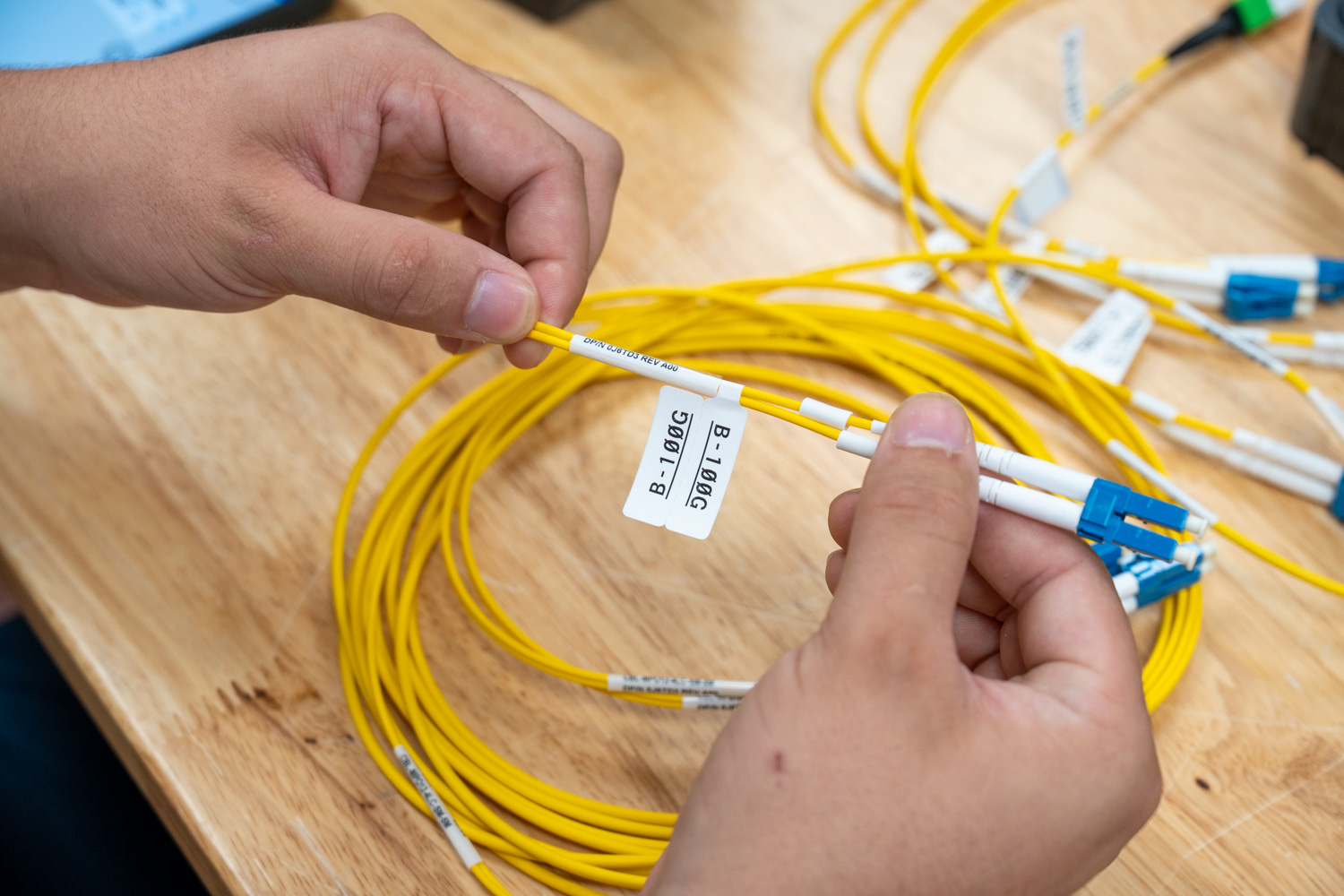
Brady P-Flag label on fiber cable.

Example of a Brady P-Flag label applied to a cable.

The first step was installing the Brady Express mobile app, available on both iOS and Android. On iOS, the pairing process was about as simple as it gets. Power on the M511. The Bluetooth indicator lights up blue and blinks, showing it is waiting to pair. Open the app, and the printer is immediately detected and ready to connect; then the light goes solid. No digging through settings, no manual pairing codes, no driver installs. From unboxing to first print took only a few minutes.
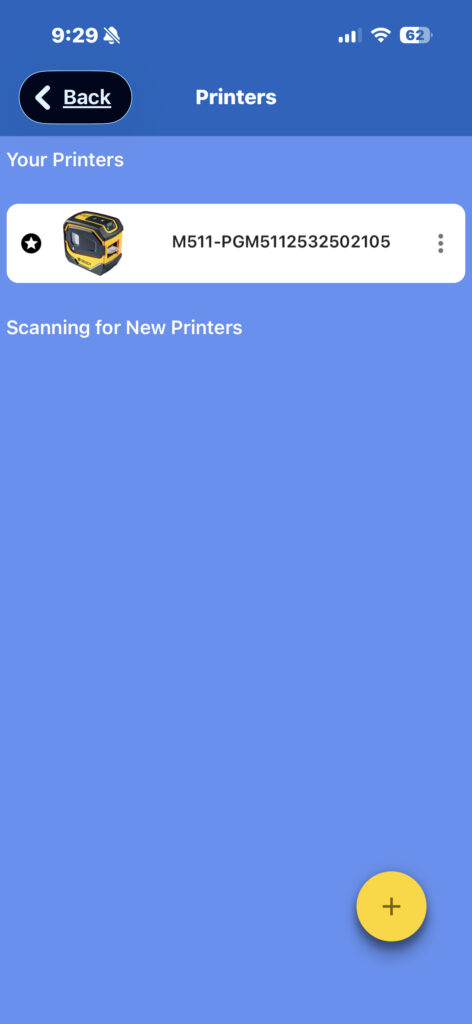
Once connected, the app automatically detects the installed label cartridge and adjusts accordingly. Before getting into labels, though, the app prompts you on first launch to select your trade. Brady offers four options: Electrical/Datacom, Lab, Maintenance/Mechanical, and Custom. This is a small but thoughtful touch. By selecting your trade upfront, the app reorganizes the dashboard to surface the label categories most relevant to your work and trims out the ones you are unlikely to need. For a lab or data center environment, selecting Electrical/Datacom keeps the clutter down and puts the right category types front and center.
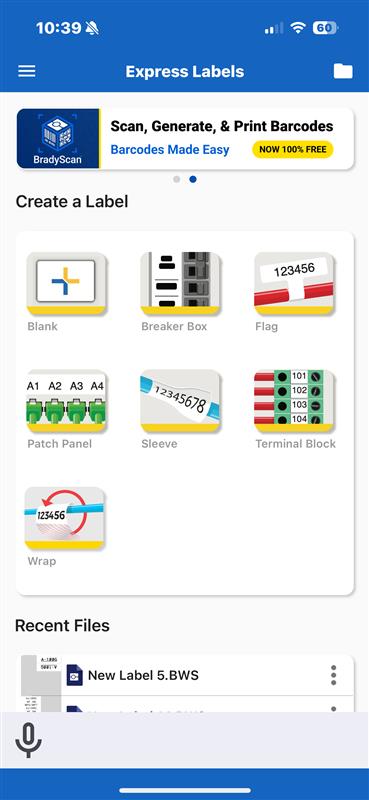
For Electrical/Datacom, which we focused on specifically, Brady breaks the dashboard into 7 label categories: blank, label layouts, breaker box, flags, patch panel, sleeves, terminal blocks, and cable wraps. Each category is tailored to the types of labeling jobs common to that trade, so rather than browsing through a generic list, you are working from a focused set of options that actually map to what you are doing in the field or in the rack.

How We Labeled the Cables

For this deployment, we focused on three label types: flags, wraps, and blank tape. Each breakout in the batch received two labels. The trunk got a self-laminating wrap label identifying it as a 4x100G cable, and each breakout strand got a durable flag label identifying it as A-100G, B-100G, C-100G, or D-100G. This gives anyone pulling cables in the rack immediate context on both the cable type and the specific strand without having to trace anything back to a patch panel or documentation.
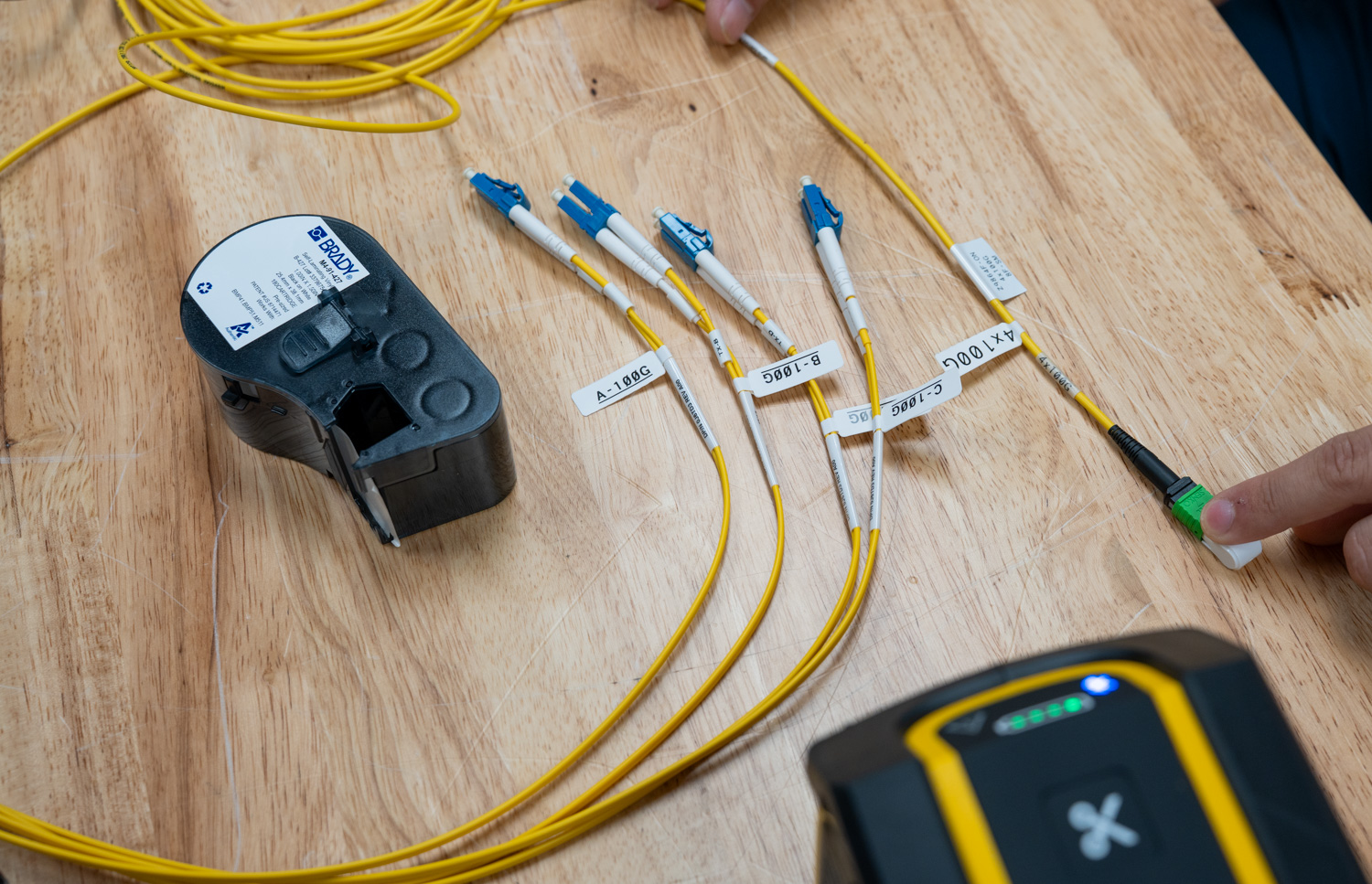
Brady M511 with labeled breakout cable.

Example breakout cable with flags A-D, with speeds and cable wraps.

Selecting a label category in the app automatically prompts you to use the installed cartridge material, preventing you from accidentally designing something that does not match the loaded material. From there, you get a live view of the printable area and full control over the layout.

Designing in the App

The design toolset in Brady Express is more capable than the compact hardware would suggest. You can add and format text, insert images, place barcodes, add dates, draw shapes, build sequences for batch numbering, and import data from a spreadsheet or scan from an external scanner. For repetitive labeling jobs like cable runs, the sequence and import features alone save significant time compared to designing labels one at a time.
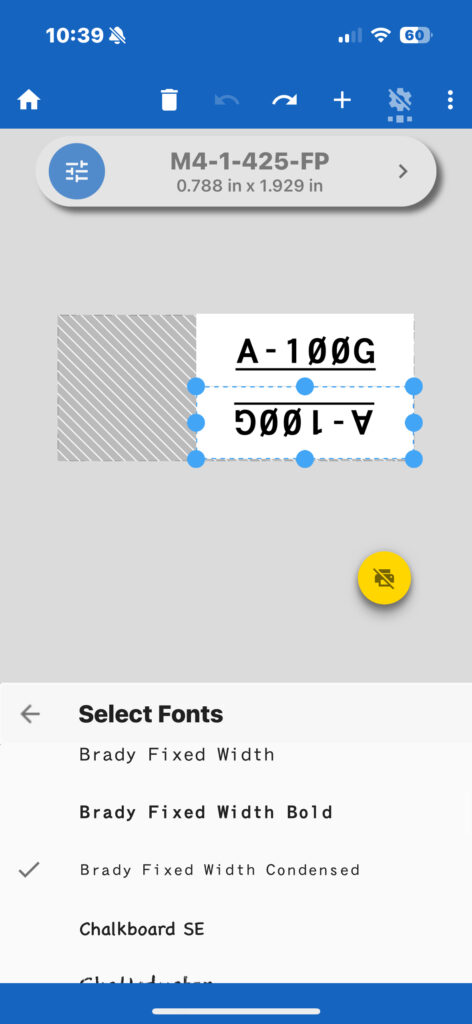
Brady preloads 20+ barcode types, 85+ fonts, and 1,400+ symbols directly in the app, and if the built-in library does not cover your needs, you can upload your own fonts as well. The app also supports 35 languages, making it a practical option for teams operating across different regions or facilities. None of it requires an internet connection or a separate design tool to put together a professional label.

When you back out of a label design, the app prompts you to save it as a template. In practice, this proved more useful than expected. Working through multiple cycles of cables, having a saved template meant we could pull up the same design each time without rebuilding it or remembering which font size and styling were used in the previous batch. It keeps the labeling uniform throughout the entire run and reduces the small decisions that slow you down mid-job.
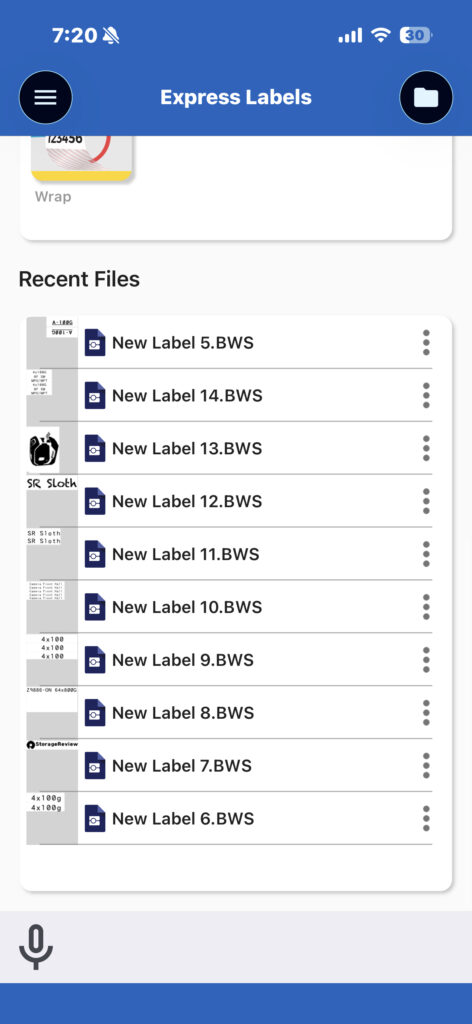
Brady Express also includes a feature called Brady Voice, which lets you speak to create labels instead of typing everything manually. For longer text strings or repetitive label content, this saves a noticeable amount of time. In a busy lab environment where your hands may already be occupied, it is a practical addition that offers more than novelty.

Compatibility and Multi-Device Printing

The Brady Express app works across a solid lineup of Brady printers, including the M211, M610, M611, M511, M710, S3700, i4311, i5300, and i7500. Connectivity varies by model. The M211, M610, and i7500 support one connected device at a time; the i4311 supports up to four; and the M511 sits in the top tier alongside the M611, M710, S3700, and i5300, supporting up to five simultaneous connected devices.
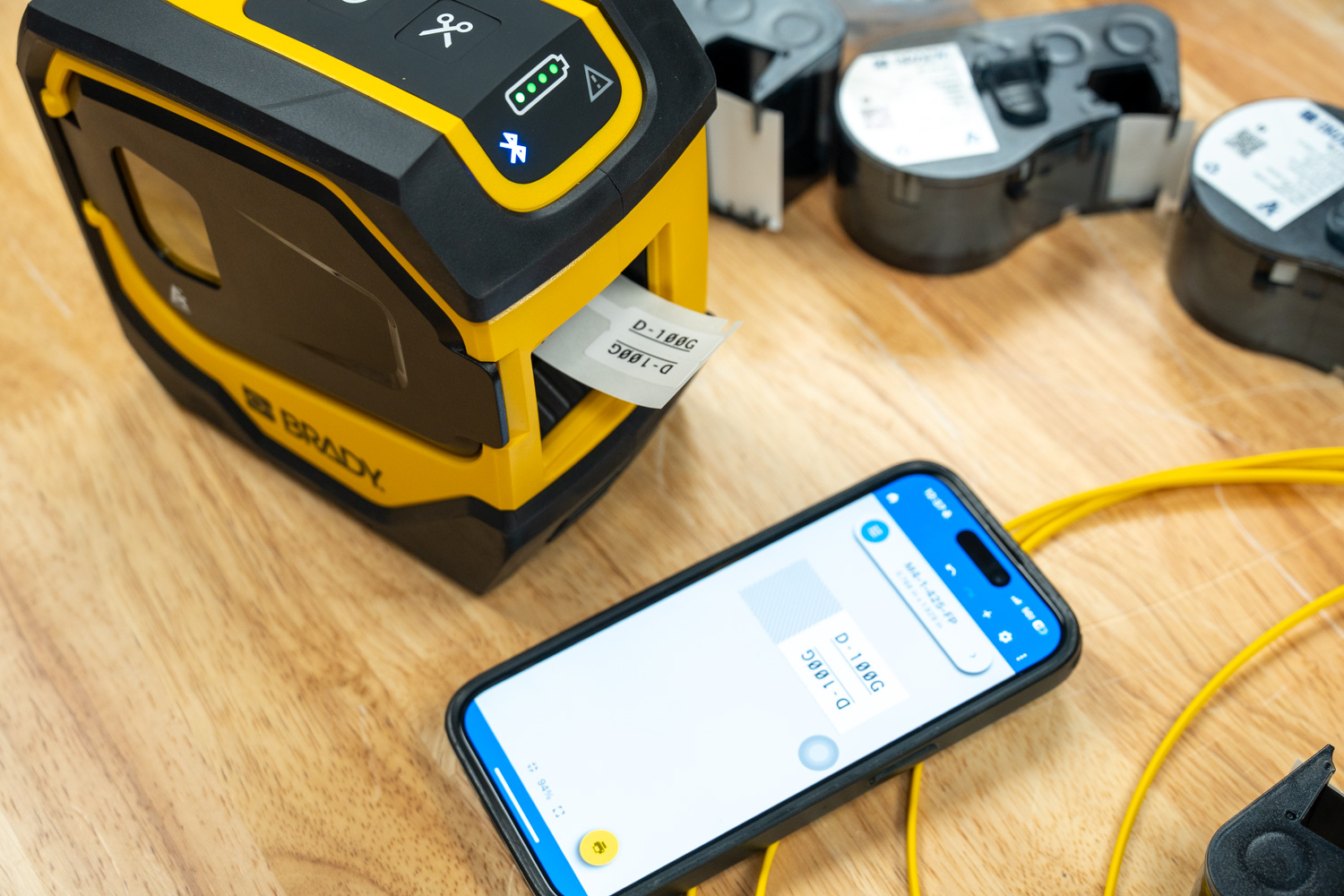
Brady M511 with Brady Express Labels mobile app.

That last point matters in a lab or data center setting. With five devices connected at once, multiple technicians can have the app open and queued to the same printer without anyone having to disconnect and reconnect. For a team working through a large batch of cables, that kind of parallel workflow adds up quickly.

Conclusion

The Brady M511 is one of those tools that is hard to appreciate until you actually have it in your hands and a real job in front of you. On paper, it is a compact Bluetooth label printer. In practice, it is the thing that finally gave the StorageReview lab a labeling workflow that we will actually use in day-to-day operation.

Durability is not a concern. MIL-STD-810G ratings, a battery good for 1,000+ labels per charge, and a material lineup covering vinyl, polyester, self-laminating wraps, nylon cloth, heat shrink, and more mean the M511 travels well beyond a lab setting. Remote sites, field deployments, warehouse floors, it handles them all. The 65-foot Bluetooth range and simultaneous connectivity for up to 5 devices reinforce its value as a shared team tool rather than something that gets passed around from person to person.

The experience from first pairing to finished labels is frictionless. The Brady Express app is well thought out; the trade-based setup keeps the interface focused, and features like template saving, Brady Voice, and sequence printing noticeably speed up your workflow. For larger or more complex labeling projects, Brady Workstation on the desktop extends that further with deeper design control, batch printing, and the full Product and Wire ID suite for teams that need to manage labeling at scale. For our 800G cable deployment, having a consistent, readable labeling system across every breakout strand is the kind of detail that pays off every time someone works in that rack. And with rack labeling, server identification, and asset tagging all on the roadmap as the lab projects continue, the M511 will stay busy.

On price, the standalone M511 at $399.99 is a straightforward buy for any facility serious about infrastructure organization. The M511-KIT at $551.99 is the most valuable entry point for most users, bundling a hard case, multiple label cartridges, a battery bank, mounting accessories, and Brady software. For a team starting from scratch, it covers everything needed in one purchase, and at that price point, the value is hard to argue with.

After 25 years of “just follow the cable and see where it ends up,” the StorageReview lab is finally labeled. It only took an 800GbE refresh and a little organizational shame to get us here.

Product Page – Brady M511 Portable Bluetooth Label Printer

The post Brady M511 Review: We Finally Labeled Our Lab appeared first on StorageReview.com.

Read the whole story
peelman
14 days ago
reply
highly recommend this guy.

if you are doing a lot of labeling, or you want to make it more idiot proof, their QuickFlags are also superb.

i used to think that things like this were outrageously expensive and overwrought. but as i have gotten older i have learned the value of time. that is a lesson that i have concluded kills companies if they don’t learn it. if you can save 10 minutes of headache 10 times a year, that justifies a whole lot of expense on “toys”.
Seymour, Indiana
Share this story
Delete

Goodbye, Mac Pro

1 Comment

Chance Miller (Hacker News, Mac Power Users, Slashdot):

Apple has also confirmed to 9to5Mac that it has no plans to offer future Mac Pro hardware.

[…]

The Mac Pro has lived many lives over the years. Apple released the current Mac Pro industrial design in 2019 alongside the Pro Display XDR (which was also discontinued earlier this month). That version of the Mac Pro was powered by Intel, and Apple refreshed it with the M2 Ultra chip in June 2023. It has gone without an update since then, languishing at its $6,999 price point even as Apple debuted the M3 Ultra chip in the Mac Studio last year.

With that in mind, the Mac Studio is clearly set up to be the ‘pro’ desktop Mac of the future in Apple’s lineup. The Mac Studio can be configured with the M3 Ultra chip and a 32-core CPU and an 80-core GPU, paired with 256GB of unified memory and 16TB of SSD storage.

Juli Clover:

In addition to discontinuing the Mac Pro, Apple today discontinued the $700 wheel add-on kit that it sold for the Mac Pro.

Joe Rossignol:

Below, we reflect on nearly two decades of the Mac Pro.

John Gruber (Mastodon):

So after 2012 — and arguably after 2010 — there was one trash can Mac Pro in 2013, one Intel “new tower” Mac Pro in 2019, and one Apple Silicon Mac Pro in 2023. No speed bumps in between any of them. Three revisions in the last 14 years. So, yeah, not a big shock that they’re just pulling the plug officially.

It’s not a shock that a product that was underpowered and overpriced wouldn’t sell well, leading to cancellation. The mystery is why Apple seemed to repeatedly come up with designs that were not what customers were asking for and why it couldn’t manage to do basic speed bump updates. Presumably the answer is internal politics. I’m not sure what to make of the reporting that John Ternus was apparently one of the champions of the Mac Pro and that he’s likely to be the next CEO, yet the product is being killed.

Andrew Cunningham:

Schiller said in that 2017 meeting that the new Mac Pro was being designed “so that we can keep it fresh with regular improvements,” and Apple did quietly update the system a couple of times with fresh GPU options. But by the time the Mac Pro finally arrived in late 2019, Apple was just months away from introducing the first of the Apple Silicon Macs, and the writing had been on the wall for Intel Macs for a while.

Apple Silicon ended up being the final nail in the coffin for the concept of the Mac Pro. The chips’ unified memory architecture meant memory upgrades were impossible. Their integrated GPUs meant they didn’t support external graphics cards from AMD or Nvidia and couldn’t be upgraded over time.

Jesper:

What does matter in audio production is latency. Thunderbolt is a cable, when most PCIe slots are a handful of inches through one electrical trace away from the CPU. Thunderbolt does add processing delay compared to on-board slots directly.

No doubt a bunch of PCIe expansion chassis will appear to cater to the professionals that used the Mac Pro for its only remaining strength, its slots.

It will be very interesting to see how the workarounds will fare at solving problems for professionals that Apple were, until fairly recently, valuing highly enough to publicly apologize to.

Eric Schwarz:

One little thing that I came across is that Apple now no longer sells a Mac with expansion slots. While the argument could be made that the 2013-2019 “trash can” Mac Pro also put those slots on hiatus, it did feature upgradeable RAM and storage, as well as a modular card for Bluetooth and Wi-Fi. Prior to that, the last time no Macs included expansion slots was before the introduction of the Macintosh II and my beloved Macintosh SE.

D. Griffin Jones:

Apple decided to start caring about the Mac Pro again at the worst possible time. The Intel Mac Pro, while excellent, arrived just six months before the announcement that the Mac would transition to Apple silicon. After which, the Mac Pro didn’t offer any better performance than the Mac Studio. Just the card slots — which you couldn’t put a GPU in.

Due to Apple silicon’s all-in-one architecture, the Ultra-tier chip pushes the limits of what Apple can fabricate at a reasonable price. The bigger the chip is on the die, the lower the yield of good chips will be made, raising the cost further.

Apple reportedly experimented with making a higher-tier chip than the Ultra — often referred to as the “Extreme” chip, though the name is just speculation. It was canceled for being too expensive.

Stephen Hackett:

Had Apple stuck to the original timeline, and killed off the 2013 Mac Pro in favor of an iMac “specifically targeted at large segments of the pro market,” back in 2017, Apple could have avoided putting out the best Intel Mac ever, less than a year before the transition to Apple silicon.

Did Apple know in 2017 that 2020 was the year the M1 would make it out of the lab? Probably not, but it doesn’t make the timing any more painful.

[…]

The company yanked the pro market around for over a decade. The Mac Pro was old, then it was new! It did not support internal expansion, then it did! With every change of its mind, Apple lost more and more trust of would-be Mac Pro buyers.

Colin Cornaby:

Without GPU or RAM upgradability its days were numbered. MPX was supposed the be the ecosystem of the future but went nowhere.

I wish the Mac Studio was more upgradable. And I’ll miss buying Macs that don’t seem disposable. I’m already not sure how much RAM I should get in a Mac Studio. It’s a balance between being locked in to what you choose, and now treating the machine as something you’re not going to keep long term.

Jeff Johnson:

Key pre-trash Mac Pro features for me:

  • Hard drive bays
  • Expandable RAM
  • Lots of ports, including audio
  • Under the desk
  • Affordable! Starting at $2500

Mac Studio is affordable, but it lacks the other features. (Its ports are fewer in number and kind.)

Matt Gallagher:

I’m pretty sad about the death of the Mac Pro. I owned a 2009 Mac Pro and it lasted a decade (upgraded everything). I stopped using it only because it got damaged. I didn’t get another because in early 2019, I couldn’t.

Between 2012 and 2017, every Mac Apple released was just “not for me” (a lifelong Mac user). This was right in the middle of macOS being neglected in favor of iOS and hardware felt it too.

Guy English:

If it wasn’t going to be great then I think it’s the right thing to retire it. One day maybe it’ll ride again.

John Siracusa:

To better days…

Marco Arment:

Let’s all come together as a community and help @siracusa through this difficult time.

Jason Snell:

RIP to a real one, but it’s time for us all to move on.

BasicAppleGuy (post):

RIP Mac Pro

Previously:

Update (2026-03-31): Sherief Farouk:

[Integrated GPUs not being able to support external graphics cards] is patently false and I say that as a Mac GPU driver developer who worked on Mac Pro driver support till it was EOL - the lack of support is an OS choice, ARM devices with integrated GPUs support PCIe GPUs just fine, Apple just chose to actively block that path.

Sherief Farouk:

I’d make an educated guess that TB latency vs PCIe for audio doesn’t matter

[…]

looks like there are cold hard numbers out there about Thunderbolt latency on Mac[…]

Adam Engst:

Early in its run, the Mac Pro was the choice of people like me who considered themselves professionals because they needed a bit more processing power, additional RAM to avoid swapping, faster (and less cluttered) internal storage, and support for multiple displays. I bought an early 2009 “cheese grater” Mac Pro for those reasons, paying $2279.

Chris Liscio:

I was nervous about splashing out on the iMac Pro, because we were promised that something big was coming soon. But the polished-stainless-steel Mac that Apple introduced in 2019 was…clearly not for me. Instead, it was aimed squarely at movie and music production environments: with multi-GPU upgrade options for 3D work, video codec accelerators, PCIe slots for wacky audio gear.

[…]

For me, the death of the Mac Pro as a viable development system started around 2013. It wasn’t about upgrades or GPUs. It was simpler than that: I felt like one of very few suckers who bought my specific configuration, and nobody at Apple actually used a similar machine. For example, my 2013 Mac Pro had AMD FirePro D700 GPUs (a rare configuration) that often had issues with graphics corruption. Later, my iMac Pro—with its 18 cores—gave me all sorts of trouble in Xcode, often compiling Capo more slowly than my 2013 Mac Pro could. Adding insult to injury, these machines were not cheap! I tried to “throw money at the problem (of making big computations go faster)”, but I actually just bought headaches.

Benjamin Mayo:

In retrospect, it’s kinda funny how much goodwill the 2017 Mac Roundtable generated when the two products that came out of it, iMac Pro and Mac Pro, were essentially abandoned after just one generation.

Riccardo Mori:

The 2023 Apple Silicon Mac Pro is existing evidence that today’s Apple does not understand an important segment of their audience. It’s a machine that looks like the result of someone at Apple asking ChatGPT how to make a new Mac Pro. “But look, it’s still expandable!”, they point at proprietary slots, while the motherboard sports an SoC with integrated CPU, GPU, and storage.

Steve Troughton-Smith:

The actual last Mac Pro was the 2019 Intel model — the Apple Silicon Mac Pro was just a $4,000 chassis upsell with empty space for a hamster

Benjamin Mayo:

There is no meaningful difference in the state of play between today and June 2023, when the M2 Ultra Mac Pro was released. Even on release, it was considered extraneous given Apple also offered the Mac Studio with the exact same chip, in a significantly smaller case and at a lower price point.

[…]

Nevertheless, I believe Apple had more ambitious ideas for the Mac Pro in the Apple Silicon era, but this work failed to pan out as they hoped. This is signposted by the fact that during the launch event for the Mac Studio in March 2022, presenter John Ternus went out of his way to tease that an update for the Mac Pro was still forthcoming. It is uncharacteristic of them to talk about anything regarding future products, but they did it here because they wanted to front-run the notion that the Mac Pro had been usurped, and that Apple’s highest-end customers should keep waiting to see what cool things they would do.

I think the intent was for Apple to launch a workstation M-series chip, something that could only be housed in the thermal envelope of the Mac Pro chassis. There were rumours at the time of a quad-Max chip, perhaps called the M2 Extreme. That never came to pass.

See also: The Talk Show and MacRumors Forums.

Read the whole story
peelman
14 days ago
reply
my 2008 Mac Pro had Firewire 800 ports, which aged like milk in july. it also only came with USB2.0, and could only run two displays out of the box. but thanks to its PCIe slots, i was able to add USB3.0. in a previous job, i was able to add 10Gb networking (via SFPs and fiber) before it was cool to Mac Pros.

i’m not sure what changed at Apple, aside from Tim Cook being basically a troglodyte leading the preeminent technology company in the world, that caused them to decide the entire pro segment of the market could be served by laptops and dongles and smart phones.
Seymour, Indiana
Share this story
Delete

Triton Tools Bought out After Insolvency

1 Comment
Triton Woodworking Tools Collection on Workbench

There’s been new chatter online about woodworking tool brand Triton Tools – lets talk about what happened.

Triton was owned by a company called Toolstream Limited. Toolstream was described in business reports as being the distributor for Triton and its other brands in the DIY and woodworking space.

According to news reports, Toolstream Limited itself was a subsidiary of a company called Group Silverline Limited. They also say that Group Silverine Limited was a holding company for Toolstream that operated as an imported and distributor for Triton and their other brands.

In December 2025, Toolstream and Group Silverline “entered administration.” There were financial losses, job cuts, and the company was insolvent.

Timbecon, an Australian retailer, announced in December 2025 that they “secured global ownership of Triton Tools.” As I understand it, this means they basically bought the Triton brand from Toolstream and Silverline.

Triton’s new owners said:

Now under Australian ownership once again, the brand will be guided by Timbecon’s long-standing focus on woodworking, education, and practical, workshop-ready solutions.

Timbecon plans to take Triton back to its core proposition — woodworker-led design and meaningful innovation — while evolving the range to meet the expectations of today’s enthusiasts, and professional tradespeople.

Draper Tools, a British tool company, acquired 2 other Toolstream brands, Van Vault and Defender Lighting.

According to business news reports, Triton and their sibling companies experienced challenging conditions following the global supply situation in the aftermath of the pandemic. This impacted their profitability and the company was unable to “secure the funding required to continue trading on a solvent basis.”

Read the whole story
peelman
16 days ago
reply
fair to say that PE bought a brand, ran it into the ground, then bailed. the governments of the world are going to have to get serious about putting some guardrails around PE money.
Seymour, Indiana
Share this story
Delete

First Milwaukee Pliers Wrenches are Coming Soon

1 Comment
Milwaukee Pliers Wrench Gripping Pipe

Milwaukee Tool’s first pliers wrenches are expected to start shipping soon.

As we posted about a few months ago (see Milwaukee Pipeline 2025 – New Tools!!), 5 different Milwaukee pliers wrenches have been announced thus far.

Milwaukee shared their tentative launch timeline, along with official pricing.

Milwaukee Pliers Wrench Pricing and Availability

The pliers will be backed by Milwaukee’s limited lifetime warranty.

Should You Buy One?

Milwaukee Pliers Wrenches at Pipeline Media Event

I tested these out briefly at Milwaukee’s Pipeline media event, first on the fasteners and pipe fixtures they had set up at the demo station, and then I grabbed some non-metallic wire to rip apart.

In no uncertain terms, these were designed to beat the best of the best, and that’s Knipex. Do they accomplish that? I’m not sure, although that could partly be due to my strong affinity for Knipex’s Pliers Wrenches.

I couldn’t find anything to complain about during my brief on-site testing. The jaws opened wide, and were easy to adjust. Each step had a wide range of jaw opening widths.

They were fairly comfortable. The jaws were as perfectly parallel as I would expect.

I was able to grab two pliers and stretch out the outer jacket of non-metallic wire, and then gently pull out the fine paper wrap from a cut section.

The design seemed well thought out.

Everything felt “right” about them, which I can’t say for some of the competing options I’ve tested over the years. For example, some pliers wrenches look good, but won’t ratchet around certain fastener sizes.

My on-site demo experience didn’t turn up any issues, but I’ll need to test a pair or two over time and a range of tasks to be sure.

I’m very excited to see these come out, and to get my hands on some of the sizes – definitely the 5″ with pocket clip and the 7″.

Would I trade in my Knipex pliers for these? That’s unlikely. Would I complement my existing kit with some of the new Milwaukee pliers wrenches? Yes, without hesitation.

Read the whole story
peelman
56 days ago
reply
if these take as long to appear on store shelves as the conduit locknut wrenches, i will not be holding my breath.
Seymour, Indiana
Share this story
Delete

Bucket Boss Super Tool Roll is a well-Priced Beginner Option

1 Comment
Bucket Boss Super Tool Roll

There are an increasing number of fancy tool roll options, often pushing above the $100 price point.

Bucket Boss, which specializes in soft tool storage – such as pouches, tool rolls, bags – has a Super Tool Roll for ~$34.

This is one of the more basic designs I’ve seen. I’m thinking it could be a good choice for beginners looking to test out the concept before splurging on a much more premium-priced option, or maybe a one-stop solution for others.

The Bucket Boss Super Tool Roll features 6 zippered pockets, carrying handle, quick-release buckle closure, and metal grommets for hanging in vertically on hooks or screws.

It measures 14.5″ x 6″ when rolled up, and 26″ x 14.5″ when open.

The tool roll is made from “heavy-duty Duckwear canvas” which Bucket Boss says will absorb tool oil over time “like a well-oiled baseball glove,” rather than “turning into oil slicks” like polyester.

I can find cheap generic non-branded options for around $28-$30 in online marketplaces. This one is only a couple of dollars more, and backed by a reputable pro-quality brand.

Price: ~$34

Veto Pro Pac Tool Roll

In contrast, Veto Pro Pac has a modular tool roll with removable pouches for $175 – see it at Acme Tools.

There are other names in the market, such as Atlas46, and now Tekton is also making premium tool rolls in small batches.

It can be difficult to justify $100+ and even $150+ on a tool roll, or at least I feel that’s the case when trying out new-to-me tool storage products. Starting off with a more basic model like the Bucket Boss can help pave the road towards an upgrade, satisfy all of your tool portable tool storage needs, or prove that the concept is not for you, without risking a larger sum of money.

Read the whole story
peelman
61 days ago
reply
i’ve had two of these bucketboss rolls and they are great. as a network geek, they can be hung in a empty telco rack by their grommets (and a short piece of paracord), and avoids having to have a flat surface for a toolbox or bag.

Seymour, Indiana
Share this story
Delete

Alan Dye Leaving Apple for Meta

1 Comment

Chance Miller:

Alan Dye, Apple’s vice president of Human Interface Design since 2015, is departing the company. Bloomberg reports that Meta has poached Dye as part of its push “into AI-equipped consumer devices.”

Stephen Lemay, a 26-year Apple design veteran, will take over the role from Dye, who officially joins Meta [to become Chief Design Officer] on December 31.

Can he take Liquid Glass with him?

Juli Clover:

Dye has been at Apple since 2006, joining the marketing and communication team as a creative director. He transitioned to Jony Ive’s user interface team in 2012 to work on iOS 7, and he worked on subsequent iOS, iPadOS, macOS, watchOS, and visionOS design updates.

John Gruber:

I think this is the best personnel news at Apple in decades. Dye’s decade-long stint running Apple’s software design team has been, on the whole, terrible — and rather than getting better, the problems have been getting worse.

Chris Silverman:

I think the fact that Dye considered Meta a good fit gives some insight into why everything he’s influenced at Apple feels so profoundly un-Apple-like.

Warner Crocker:

Frankly, I think we’re all looking forward to some change ahead.

Nick Heer:

I am sure more will trickle out about this, but one thing notable to me is that Lemay has been a software designer for over 25 years at Apple. Dye, on the other hand, came from marketing and print design. I do not want to put too much weight on that — someone can be a sufficiently talented multidisciplinary designer — but I am curious to see what Lemay might do in a more senior role.

Louie Mantia:

I like [Lemay]! I have a lot of respect for him.

Mario Guzmán:

Can we please get designers that remember that computers are bicycles for the mind and not just something to sit there and look pretty?

Previously:

Read the whole story
peelman
141 days ago
reply
this is the best news i have heard out of Apple in a while.
Seymour, Indiana
Share this story
Delete
Next Page of Stories